

Cigna Provider Enrollment Services: Avoid Delays, Fix CAQH Issues & Get Providers Enrolled
Explore Cigna Provider Enrollment requirements, application steps, approval timelines, and billing considerations for medical practices and providers.
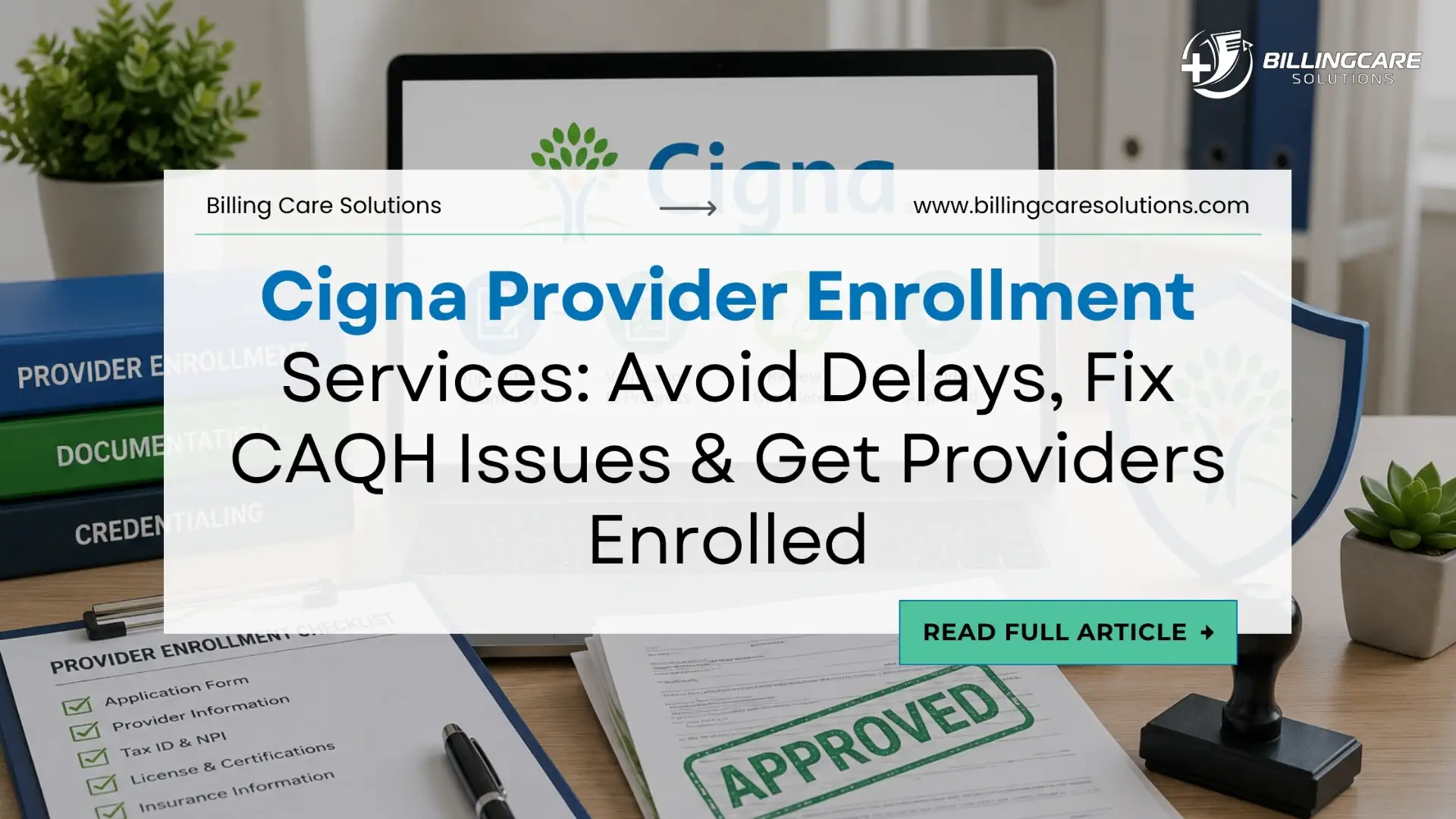
Cigna Provider Enrollment becomes a practical challenge when providers need network participation quickly. The work starts before the application reaches Cigna. Provider data, credentials, CAQH records, and practice information must align. One mismatch often creates follow-up work and extends the enrollment process.
Cigna states medical credentialing typically takes 45 to 60 days after receiving completed application materials. Approved provider information typically reaches directories and claim systems within 10 business days. These timelines provide useful benchmarks, but practices still need internal tracking for exceptions.
For practice leaders, Cigna Provider Enrollment extends beyond completing an application. You need to move each provider from preparation through approval and billing readiness. Clear ownership, accurate information, timely responses, and post-approval verification keep the process controlled.
Is Your Provider Ready for Cigna Provider Enrollment?
Starting Cigna Provider Enrollment before the provider file is ready creates avoidable rework. Cigna asks prospective medical providers to contact Provider Services first. This confirms whether they meet basic application guidelines. The appropriate process also depends on provider category and credentialing pathway. Check provider information on internal systems prior to calling Cigna for Cigna Provider Enrollment. Verify the individual NPI, legal name, specialty, locations, group affiliation, TIN and credentials. Before you start Cigna Provider Enrollment, check these with the CAQH and other records for comparison.
| Readiness Check | What Your Team Should Confirm |
|---|---|
| Provider identity | Legal name matches credential records |
| NPI | Individual NPI is active and accurate |
| Specialty | Specialty matches training and practice |
| State license | License is current and unrestricted |
| Practice locations | Intended locations are documented |
| Group affiliation | Provider matches the correct entity |
| TIN | Tax information matches the contracting entity |
| CAQH | Profile is complete and current |
| Hospital affiliation | Current privileges are documented when applicable |
| Liability coverage | Current professional liability information is available |
This pre-application review answers a practical question. Is anything likely to stop the application before payer review? Resolving issues internally remains easier than correcting them during credential verification.
What Should You Prepare Before Submission?
Once Cigna confirms eligibility, prepare the complete enrollment file. Cigna provides application information based on provider type and credentialing pathway. Medical providers should expect verification across professional, educational, employment, liability, and affiliation records.
For Cigna Provider Enrollment, medical providers need several supporting details. Cigna identifies an active professional license, DEA or CDS credentials when applicable, board certification, education, specialty training, work history, hospital privileges when applicable, malpractice information, and sanctions. Employment gaps exceeding six months require explanations within the required work history.
The file should also contain current liability information and malpractice claims history. Cigna lists $1 million per occurrence and $3 million aggregate as recommended malpractice coverage amounts. Actual requirements vary by market, specialty, state, and applicable standards. The goal is not collecting documents without review. Your team should verify expiration dates, names, specialties, locations, and application details. This reduces the risk of conflicting information within an otherwise complete file.
Where Does Cigna Provider Enrollment Break Down?
Many Cigna Provider Enrollment problems begin with conflicting information. A provider might have an active license while listing an outdated practice location. The credential remains valid, but conflicting data creates additional verification work. Similar discrepancies involve provider names, specialties, employment history, affiliations, malpractice information, group affiliations, and tax information. Each difference creates another item requiring clarification before review finishes.
Cigna states it requests missing documentation or application information during credentialing. If requested information remains unresolved, Cigna states the application can be closed. Practices therefore need reconciliation before submission and clear ownership afterward. The strongest workflow compares information before submission. This reduces unnecessary back-and-forth and gives credentialing staff cleaner applications to manage.
How Do You Prevent CAQH Problems?
CAQH matters because Cigna may access credentialing information electronically with provider permission. Cigna instructs providers to authorize access, review profiles for changes, and maintain required profile status. Its medical credentialing guidance identifies Initial Profile Complete and Re-attestation as acceptable statuses. Compare CAQH to your internal provider file prior to authorizing Cigna. Check provider credentials, license, specialty, education, training, employment history, provider location, provider affiliations, provider board certification, provider DEA information, and malpractice information.
For Cigna Provider Enrollment, CAQH should function as one source within broader data management. When CAQH and the payer application disagree, staff must explain and correct information. This consumes time without advancing the application. A reconciliation review before submission helps prevent this problem. Assign one person to compare records and document corrections before provider authorization.
What Happens After You Submit the Application?
When you submit, you enter a payer review process, but you aren’t done with your team’s responsibility with Cigna Provider Enrollment. Cigna states credentialing will start once the application packet is received. During review, the payer might request additional information and communicate the approval decision with an effective date. Create an enrollment record immediately after submission. For Cigna Provider Enrollment, record the submission date, provider, NPI, TIN, pathway, status, open requests, owner, next action, and eventual effective date.
| Enrollment Field | Why It Matters |
|---|---|
| Submission date | Establishes application aging |
| Provider | Identifies the enrollment case |
| NPI | Supports provider-level tracking |
| TIN | Identifies the contracting entity |
| Application pathway | Shows the enrollment route |
| Current status | Shows the latest payer position |
| Open request | Identifies unresolved information |
| Request date | Measures response aging |
| Assigned owner | Prevents follow-up gaps |
| Next action | Defines the immediate task |
| Effective date | Establishes participation timing |
This turns enrollment into a managed workflow instead of an email process. Leadership then sees which applications progress and which cases need intervention.
How Long Does Cigna Provider Enrollment Take?
Cigna says it usually takes 45 to 60 days to receive medical credentialing after the application packet has been submitted. Other factors or verification may make the process take longer than the normal period. Use the 45-60 day period as a processing guide. Don’t use it as a definite date of completion. You should be able to differentiate applications based on age in your internal dashboard and make sure older applications are visible.
| Application Age | Recommended Management Action |
|---|---|
| 0 to 30 days | Monitor routine progress |
| 31 to 45 days | Review outstanding items |
| 46 to 60 days | Increase follow-up visibility |
| Over 60 days | Investigate delay and escalate appropriately |
These categories are internal controls, not Cigna processing guarantees. Their purpose is preventing applications from remaining unattended during normal review.
Why Is Your Cigna Provider Enrollment Taking Longer?
An application exceeding the expected timeframe requires investigation. Do not assume the payer caused the delay before reviewing your records. Start by checking whether the application was complete and whether Cigna requested information. Review the response history and confirm every request received a timely answer. Then compare the application against CAQH and current credential records. Check licenses, employment history, affiliations, locations, and other information requiring verification.
Cigna provides a status-check process for medical credentialing. Its current guidance directs providers to email PSSCentral@Cigna.com with their full name and TIN. Providers can also call Provider Services and select credentialing. Each follow up should result in a written result. Document the contact date, contactor, information sought, information received, status, and next contact date. This forms a clear record for applications that need escalation.
How Should You Handle Cigna Requests?
A payer request should become an assigned task immediately. The response process should identify what Cigna needs, who owns it, where documentation sits, and when the response must be submitted.
Use a simple workflow:
Request received → Requirement identified → Owner assigned → Documentation verified → Response submitted → Submission recorded → Follow-up scheduled
The owner should depend on the request type. Credentialing staff might handle an updated license. Practice administration might handle a location change. Finance might verify legal entity or TIN information. Avoid leaving payer requests inside shared inboxes without deadlines. Cigna states unresolved missing information can result in application closure. Response tracking therefore remains essential to Cigna Provider Enrollment.
Does Cigna Approval Mean You Can Bill?
Approval is a major milestone, but your team still needs operational verification. Cigna states approved providers receive confirmation and an effective date. Approved provider information typically reaches directories and claim systems within 10 business days. Take advantage of post-approval to match payer and billing systems. Confirm the effective date, NPI, TIN, group affiliation, specialty, location, network participation, directory information and claim-system status.
Do not treat 10 business days as a universal billing guarantee. Use it as a verification milestone based on Cigna’s stated process. Confirm provider status before relying on enrollment for network-related claims. Cigna Provider Enrollment readiness also differs from claim compliance. Cigna separately publishes claim submission requirements, including timely filing rules for participating providers. These requirements need separate billing controls.
What Should You Do When Provider Data Is Wrong?
Provider information can change after initial enrollment. A new location, specialty change, group affiliation, or demographic update should trigger payer record review. Cigna requires contracted providers to go through its on-line change process via the Cigna for Health Care Professionals (CHCP) web portal. It also suggests for accuracy on the directory on a regular basis.
| Provider Change | Internal Response |
|---|---|
| New location | Update payer and internal records |
| Location closure | Confirm removal requirements |
| Specialty change | Review credential and directory data |
| Group change | Reconcile affiliation and TIN |
| Provider name change | Update applicable records |
| Credential renewal | Replace expired documentation |
| Hospital affiliation change | Review payer records |
The key issue is coordination. A provider change should not remain internal while payer records stay outdated. Assign responsibility for submitting changes and verifying the resulting payer record.
How Does Cigna Provider Enrollment Affect Revenue?
Cigna Provider Enrollment connects directly with downstream revenue operations. The sequence moves from participation to activation, claim submission, adjudication, and payment. Provider data problems can therefore create work after enrollment appears complete.
| Enrollment Issue | Revenue-Cycle Risk |
|---|---|
| Unclear effective date | Billing readiness uncertainty |
| Incorrect NPI | Provider identification mismatch |
| Incorrect TIN | Entity-level payer mismatch |
| Wrong location | Provider data inconsistency |
| Missing activation | Claims processing risk |
| Outdated participation data | Incorrect billing assumptions |
| Missed re-credentialing | Participation continuity risk |
These issues do not automatically produce claim denials in every situation. Financial exposure also includes administrative rework, delayed corrections, claim investigation, and staff time. For CFOs and practice administrators, track workload created by enrollment problems. Measure correction volume, aging, follow-up time, and recurring errors. This gives leadership better information about operational exposure.
What Keeps Cigna Providers Actively Enrolled?
Initial Cigna Provider Enrollment is only the beginning of the payer relationship. Credentials, CAQH information, practice data, and provider records require ongoing maintenance throughout participation. Cigna states it contacts providers when re-credentialing becomes due. Providers must verify and re-sign updated CAQH information during the process. Cigna also states it sends up to three reminder emails. Failure to complete required CAQH action can result in network termination.
You should track license, DEA, CDS, malpractice, board certification, CAQH and re-credentialing deadlines on your credentialing calendar. It should also account for changes in the population, types of groups, and where they are located. Do not rely exclusively on payer reminders. Internal monitoring gives your team time to resolve expiring credentials before deadlines become urgent.
Do Cigna Requirements Change By Provider Type?
Yes. Cigna separates medical, dental, behavioral, and international credentialing pathways. Applying one checklist across every provider category creates unnecessary risk because requirements differ.
Medical Providers
Medical credentialing covers licensing, applicable DEA or CDS credentials, education, specialty training, work history, hospital privileges, malpractice information, sanctions, and other credentialing information.
Dental Providers
Cigna maintains a separate dental credentialing process. Listed requirements include a W-9, current dental license, DEA certificate when applicable, specialty training documentation when applicable, and professional liability documentation.
Behavioral Providers
Cigna’s current guidance directs behavioral providers to Evernorth Behavioral Health for network participation and onboarding. Behavioral practices should follow the applicable behavioral pathway instead of applying medical enrollment requirements.
The first step in Cigna Provider Enrollment should therefore identify the provider category. Once the pathway is confirmed, build document and workflow requirements around that provider type.
Which Enrollment Metrics Should Leadership Track?
A useful Cigna Provider Enrollment dashboard does not require dozens of metrics. Leadership needs measures showing workload, aging, response performance, and recurring problems.
| Metric | Management Question |
|---|---|
| Pending applications | How many providers await approval? |
| Application aging | Which cases exceed the expected timeframe? |
| Open payer requests | Which requirements remain unresolved? |
| Response time | How quickly does staff answer requests? |
| Approval-to-activation time | How long does operational setup take? |
| Data corrections | Which fields create repeated problems? |
| Recredentialing due | Which providers require action soon? |
| Closed applications | Why did applications fail to reach completion? |
Closed applications deserve particular attention. Review why each case closed and whether missing information caused the issue. Then determine whether the provider needs another application. Recurring closure reasons should become process improvement priorities. Changing the workflow is more effective than repeatedly correcting individual applications.
When Should You Outsource Cigna Provider Enrollment?
Internal Cigna Provider Enrollment works when provider volume remains manageable and responsibilities stay clear. External support becomes relevant when enrollment competes with billing, credentialing, or practice administration.
Consider support when your practice has multiple pending providers, frequent corrections, repeated CAQH discrepancies, unassigned payer requests, or limited visibility into aging. Missed credential expiration dates also indicate weak operational controls.
The decision should depend on workload and control gaps rather than provider count alone. A small practice with inconsistent processes might need more support than larger organizations with mature workflows.
How Billing Care Solutions Supports Enrollment
Billing Care Solutions supports practices with structured Cigna Provider Enrollment and credentialing workflows. The service model focuses on documentation, credential tracking, payer communication, application follow-up, and provider data management.
Support includes:
- Provider enrollment and credentialing coordination
- Credential and expiration tracking
- CAQH information management
- Application preparation
- Payer follow-up
- Enrollment status tracking
- Provider data reconciliation
- Recredentialing support
- Enrollment exception management
The goal is connecting enrollment activity with revenue-cycle operations. Credentialing teams need status visibility. Billing teams need reliable participation information. Leadership needs reporting on pending cases and exceptions.
Build a Cigna Enrollment Process That Survives Growth
Do not rely on a few emails, separate spreadsheets, and employee brains! A reliable process ensures that each application has an owner, a status, a follow-up date and a next action. Begin with determining the right enrollment process. Preparing and reconciling the provider file prior to submission. Follow up on the requests from the payers during credentialing. Keep track of application aging and the final application date.
After approval, verify provider information across payer and billing systems. Do this before treating enrollment as operationally complete. Cigna states medical credentialing typically takes 45 to 60 days after receiving the application packet. Approved provider information typically reaches directories and claim systems within 10 business days. These figures provide useful monitoring points, but internal tracking remains essential.
A strong Cigna Provider Enrollment process should answer five questions quickly.
Who is being enrolled? Where is the application?
What prevents completion?
Who owns the next action?
Is the provider ready for billing?
When those answers remain unclear, the problem usually involves workflow visibility. Billing Care Solutions helps practices manage provider enrollment, credentialing coordination, payer follow-up, and provider data workflows. These activities stay connected with broader revenue-cycle operations.
